
Axiometa
Power Monitor (INA219)
SKU:
Out of stock
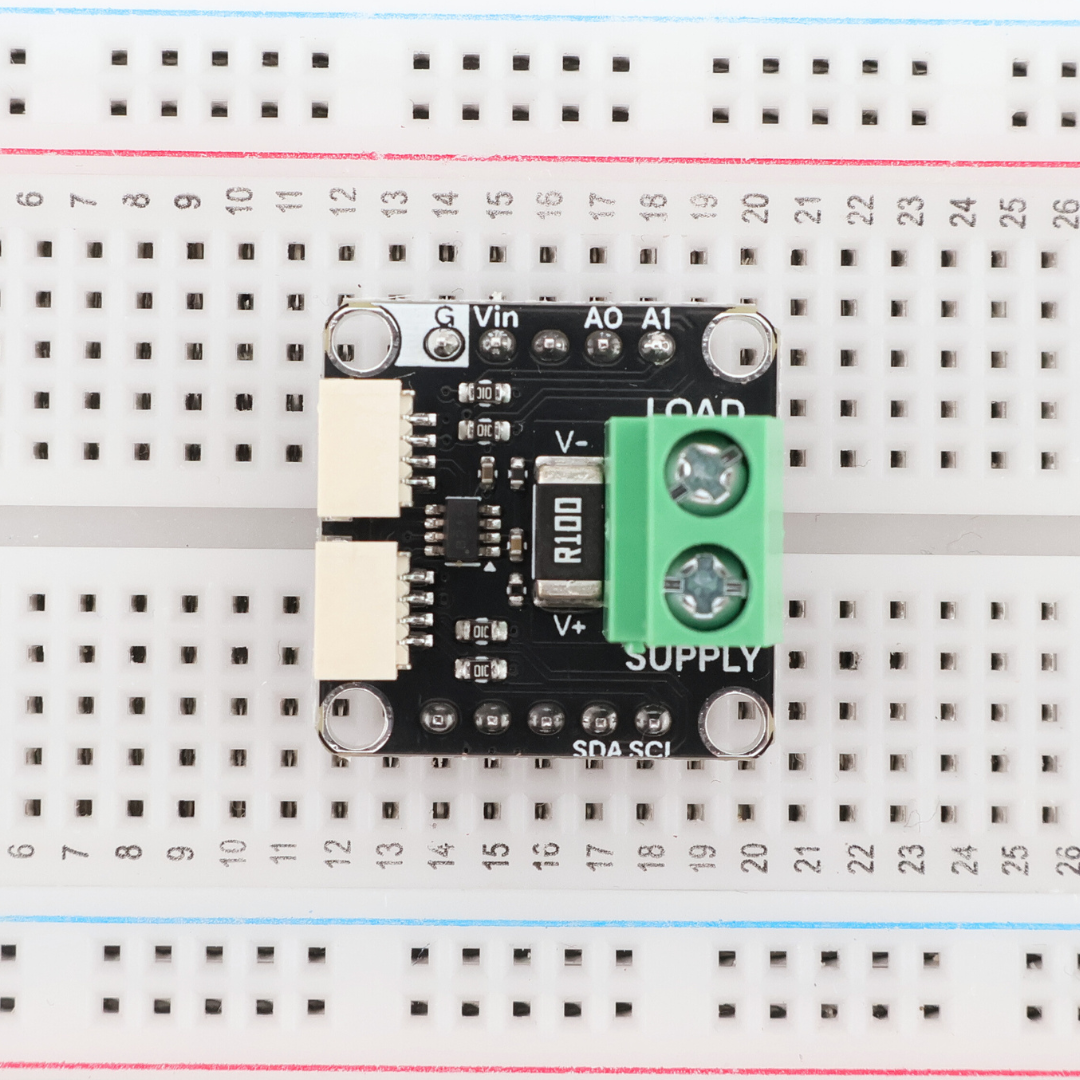
Monitor voltage, current, and power consumption in real time with this INA219-based sensor module. Measure up to 26V and 3.2A on the high side without disrupting your circuit, perfect for battery monitoring, solar projects, or tracking power draw in embedded systems. The onboard INA219 handles the math internally, delivering voltage, current, and power readings over I²C so your microcontroller doesn't have to crunch numbers. Screw terminals make it easy to insert into your power path, while STEMMA QT connectors let you daisy-chain I²C devices. Drop it into any AX22 backplane and start tracking power consumption with Arduino IDE, MicroPython, or MicroBlocks.
Couldn't load pickup availability

Technical Details
Pinout
Arduino Example Snippet
#include "INA219.h"
#include <FastLED.h>
#include <Adafruit_GFX.h>
#include <Adafruit_ST7735.h>
#include <SPI.h>
#define NUM_LEDS 64
#define DATA_PIN 9
#define TFT_CS 8
#define TFT_DC 45
#define TFT_RST 15
#define TFT_MOSI 11
#define TFT_SCLK 13
INA219 INA(0x40);
CRGB leds[NUM_LEDS];
SPIClass mySPI(FSPI);
Adafruit_ST7735 tft = Adafruit_ST7735(&mySPI, TFT_CS, TFT_DC, TFT_RST);
void setup() {
FastLED.addLeds<NEOPIXEL, DATA_PIN>(leds, NUM_LEDS);
Serial.begin(115200);
Serial.println(__FILE__);
Serial.print("INA219_LIB_VERSION: ");
Serial.println(INA219_LIB_VERSION);
// Initialize TFT Display
mySPI.begin(TFT_SCLK, -1, TFT_MOSI);
tft.initR(INITR_MINI160x80);
tft.setRotation(3); // Landscape orientation
tft.fillScreen(ST77XX_BLACK);
// Display title
tft.setTextColor(ST77XX_CYAN, ST77XX_BLACK);
tft.setTextSize(1);
tft.setCursor(5, 2);
tft.print("LED Power Monitor");
// Draw separator line
tft.drawLine(0, 12, 160, 12, ST77XX_CYAN);
Wire.begin(47, 48);
if (!INA.begin()) {
Serial.println("Could not connect. Fix and Reboot");
tft.setTextColor(ST77XX_RED, ST77XX_BLACK);
tft.setCursor(10, 30);
tft.print("INA219 Error!");
while(1); // Halt if sensor not found
}
INA.setMaxCurrentShunt(5, 0.1);
// Turn all LEDs white to prepare for brightness sweep
fill_solid(leds, NUM_LEDS, CRGB::White);
delay(1000);
// Print header once
Serial.println("\nBrightness Sweep Test");
Serial.println("BRIGHTNESS\tVOLTAGE(V)\tCURRENT(mA)\tPOWER(mW)");
Serial.println("-----------------------------------------------------------");
}
void loop() {
// Sweep brightness from 0 to 255
for (int brightness = 0; brightness <= 255; brightness++) {
// Set brightness
FastLED.setBrightness(brightness);
FastLED.show();
// Small delay to let current stabilize
delay(50);
// Read measurements
float voltage = INA.getBusVoltage();
float current = INA.getCurrent_mA();
float power = INA.getPower_mW();
// Print to Serial
Serial.print(brightness);
Serial.print("\t\t");
Serial.print(voltage, 3);
Serial.print("\t\t");
Serial.print(current, 2);
Serial.print("\t\t");
Serial.print(power, 2);
Serial.println();
// Update TFT Display
displayData(brightness, voltage, current, power);
// Optional: adjust delay for faster/slower sweep
delay(50);
}
Serial.println("\nSweep complete. Restarting in 3 seconds...\n");
delay(3000);
}
void displayData(int brightness, float voltage, float current, float power) {
// Clear data area (below header line)
tft.fillRect(0, 14, 160, 66, ST77XX_BLACK);
// Display Brightness
tft.setTextColor(ST77XX_YELLOW, ST77XX_BLACK);
tft.setTextSize(1);
tft.setCursor(5, 16);
tft.print("Brightness:");
tft.setTextSize(2);
tft.setCursor(5, 26);
tft.setTextColor(ST77XX_WHITE, ST77XX_BLACK);
tft.print(brightness);
tft.print(" "); // Extra spaces to clear previous digits
// Display Voltage
tft.setTextColor(ST77XX_GREEN, ST77XX_BLACK);
tft.setTextSize(1);
tft.setCursor(5, 44);
tft.print("V:");
tft.setTextColor(ST77XX_WHITE, ST77XX_BLACK);
tft.print(voltage, 2);
tft.print("V ");
// Display Current
tft.setTextColor(ST77XX_MAGENTA, ST77XX_BLACK);
tft.setCursor(80, 44);
tft.print("I:");
tft.setTextColor(ST77XX_WHITE, ST77XX_BLACK);
tft.print(current, 0);
tft.print("mA ");
// Display Power
tft.setTextColor(ST77XX_ORANGE, ST77XX_BLACK);
tft.setTextSize(1);
tft.setCursor(5, 62);
tft.print("Power:");
tft.setTextColor(ST77XX_WHITE, ST77XX_BLACK);
tft.print(power, 1);
tft.print("mW ");
}